Transit NXT 12 SP: Ctrl+Markup ID not working
ناشر الموضوع: Natalia Lajszczak
Natalia Lajszczak
Natalia Lajszczak
Local time: 12:24
أنجليزي إلى بولندي
+ ...
Apr 10, 2020

Hi,
The Ctrl+Markup ID keyboard shortcut is not working. What should I do to activate it? It's the first time I use Transit, so I'm a bit lost.
Thanks for your help.
Natalia


CafeTran Trainer
CafeTran Trainer
هولندا
عضو (2006)
ألماني إلى هولندي
+ ...
Press → Apr 10, 2020

Natalia Łajszczak wrote:

Hi,
The Ctrl+Markup ID keyboard shortcut is not working. What should I do to activate it? It's the first time I use Transit, so I'm a bit lost.
Thanks for your help.
Natalia


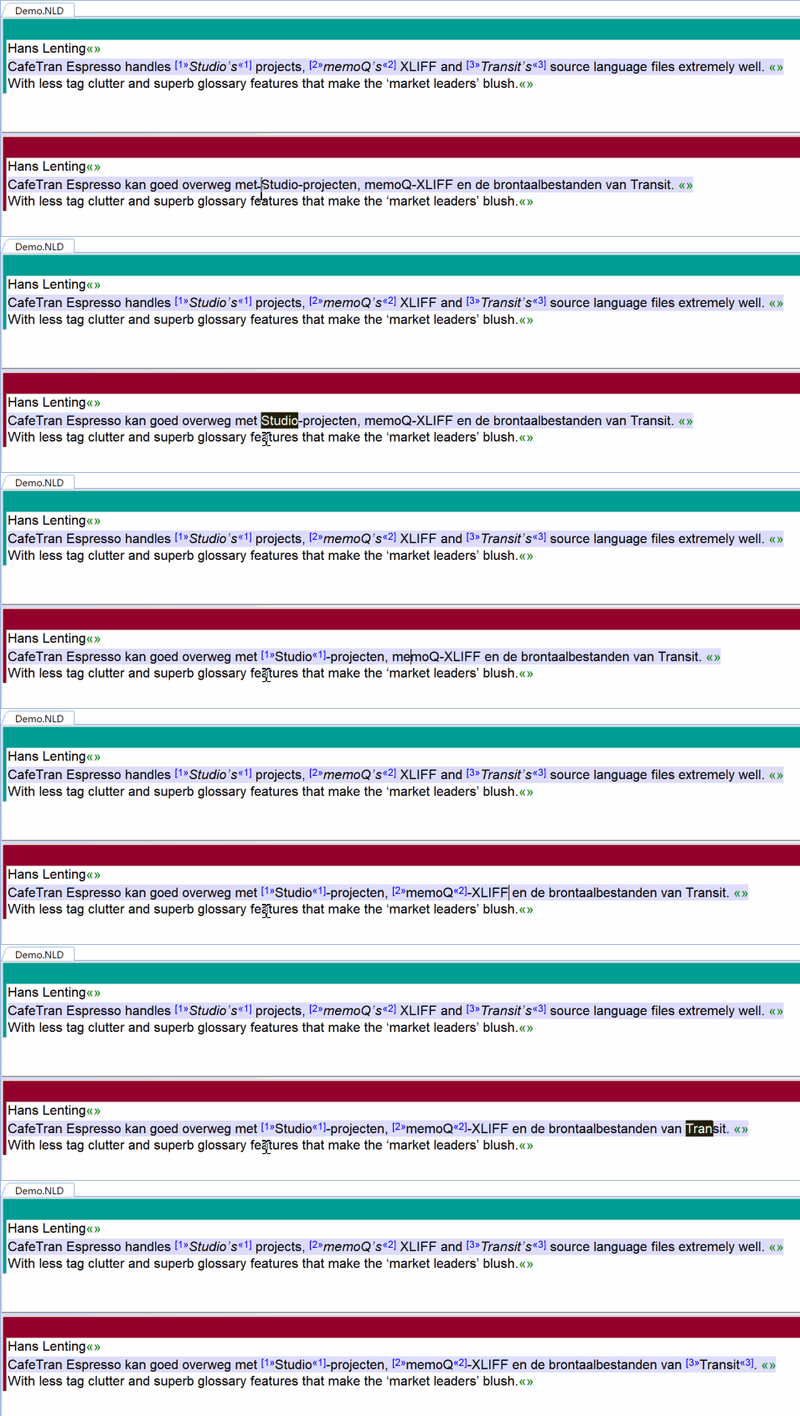
You have to press the right arrow key after inserting the markup ID.

1

[Edited at 2020-04-11 07:09 GMT]


Natalia Lajszczak
Natalia Lajszczak
Local time: 12:24
أنجليزي إلى بولندي
+ ...
بادئ الموضوع
-> Apr 10, 2020

Hans Lenting wrote:


IIRC, you have to press the right arrow after inserting the markup ID.


It does not work either. As far as I know the right arrow should be pressed if we want to leave the markup.
When I press ctrl+Markup ID and start to write a text which should go into the markup, the markup does not show itself and the first letter of my text is always missing. I'm wondering if this is not a bug.


CafeTran Trainer
CafeTran Trainer
هولندا
عضو (2006)
ألماني إلى هولندي
+ ...
Nope Apr 11, 2020

Natalia Łajszczak wrote:

As far as I know the right arrow should be pressed if we want to leave the markup.


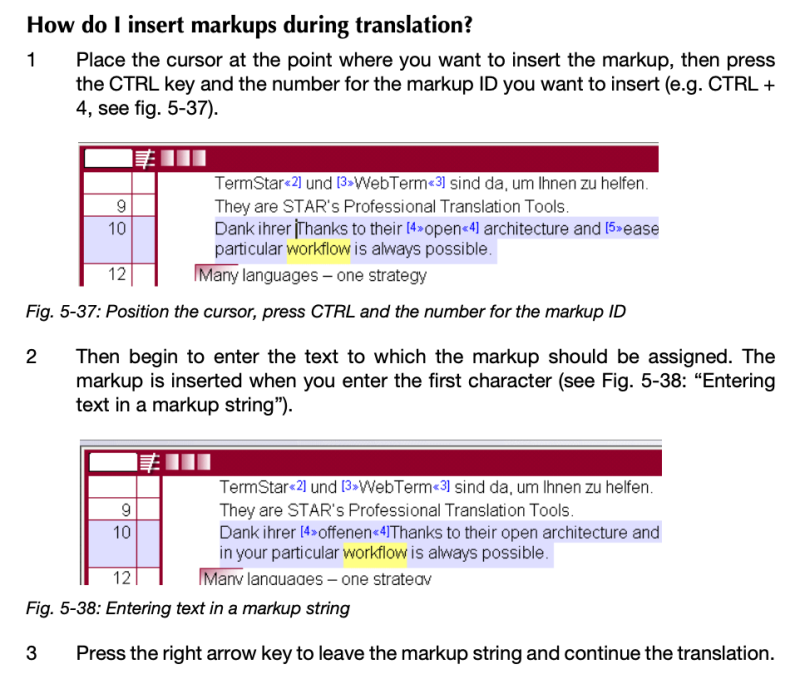
It's actually needed to make the insertion happening ...

This is from the user manual:

Screenshot 2020-04-11 at 10.49.13


To report site rules violations or get help, contact a site moderator:

مشرفو هذا المنتدى
Maya Gorgoshidze[Call to this topic]

You can also contact site staff by submitting a support request »

Transit NXT 12 SP: Ctrl+Markup ID not working


Protemos translation business management system
Create your account in minutes, and start working! 3-month trial for agencies, and free for freelancers!

The system lets you keep client/vendor database, with contacts and rates, manage projects and assign jobs to vendors, issue invoices, track payments, store and manage project files, generate business reports on turnover profit per client/manager etc.

More info »
Trados Studio 2022 Freelance
The leading translation software used by over 270,000 translators.

Designed with your feedback in mind, Trados Studio 2022 delivers an unrivalled, powerful desktop and cloud solution, empowering you to work in the most efficient and cost-effective way.

More info »